Raster-to-Vector Conversion: Turn Scanned Drawings into CAD Files
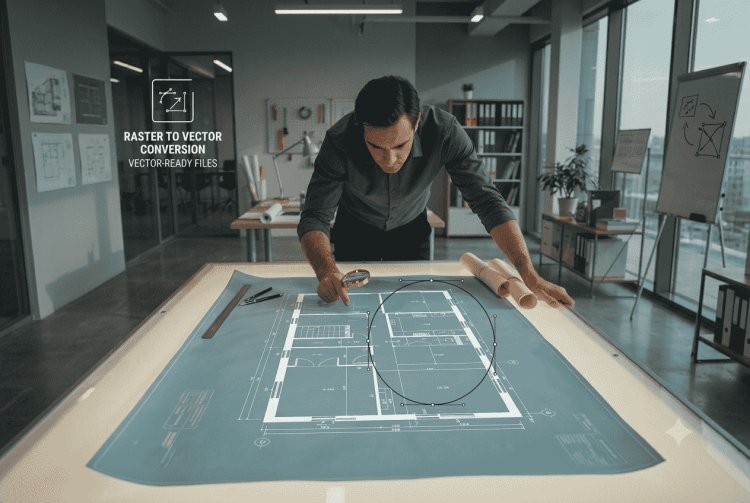
Learn how raster-to-vector conversion turns scanned drawings and legacy paper plans into editable DWG/DXF CAD files, saving time and improving data accuracy.
Understanding Raster vs. Vector
Raster Images
A raster image is a grid of pixels — each pixel holds a color value. Scanned drawings, photos, and PDFs exported from scanners are raster files. Common formats include TIFF, PNG, JPEG, and BMP. Raster files are resolution-dependent: zooming in reveals pixelation, and you cannot select, move, or edit individual lines or annotations as geometric entities.
Vector Files
A vector file stores geometry as mathematical definitions — lines, arcs, polylines, and text defined by coordinates. CAD formats such as DWG and DXF are vector-based. Because geometry is described mathematically, vector drawings scale losslessly, support layer management, allow dimension editing, and integrate cleanly into downstream CAD and manufacturing workflows.
The Conversion Challenge
Raster-to-vector conversion — often called "vectorization" — is the process of interpreting the pixel content of a scanned drawing and reconstructing it as editable geometric and textual entities. The result is a CAD-ready file that engineers can open, modify, annotate, and reuse without manual retracing.
Why This Matters to Modern Engineering
Legacy documentation is not a niche problem — it is a mainstream engineering reality. Facilities built before the 1990s rarely have digital-native drawings, and even organizations that adopted early CAD often hold libraries of pre-CAD paper plans. The business impact of inaccessible legacy drawings is real and measurable.
Time to Modify
Manual retracing of a complex P&ID or structural plan can take days. Vectorized drawings cut that timeline to hours, directly reducing project engineering costs.
Accuracy
Redrawing from scratch introduces human error. Vectorization preserves original geometry and dimensions, maintaining design intent without manual interpretation risk.
Data Usability
Editable CAD files feed directly into BIM models, ERP systems, and manufacturing workflows. Scanned raster files cannot. Vectorization unlocks data for downstream use.
Compliance & Archiving
Digital vector archives satisfy document management standards, simplify revision tracking, and ensure drawings are searchable, indexable, and distributable.
Manual Retracing vs. Specialized Vectorization Software
Organizations facing a legacy drawing backlog typically evaluate two approaches: manually retracing in CAD, or using dedicated raster-to-vector software. The practical differences are significant.
| Criterion | Manual Retracing in CAD | Raster-to-Vector Software |
|---|---|---|
| Speed | Slow — hours to days per drawing | Fast — minutes to hours per drawing |
| Accuracy | Operator-dependent; error-prone | Algorithm-driven; consistent geometry |
| Scalability | Limited by available drafter hours | Batch processing handles large archives |
| Raster Editing | Not available natively in CAD | Integrated raster cleanup before conversion |
| Text Recognition | Manually typed; OCR not integrated | Integrated OCR for dimension text |
| Cost Over Volume | High — linear labor cost | Lower — software investment amortizes quickly |
For occasional, simple drawings, manual retracing may be acceptable. For any significant volume of legacy drawings — or for complex technical documents with dense linework — specialized software delivers a substantially better result at lower total cost.
How CSoft's WiseImage Addresses This Challenge
WiseImage is CSoft's dedicated raster editing and raster-to-vector conversion software, designed specifically for professionals working with scanned technical drawings, maps, plans, and similar documents. It is built to handle the real-world complexity of legacy engineering documentation — not idealized clean scans.
Raster Preprocessing
Before vectorization, WiseImage provides tools to deskew, despeckle, clean up, and enhance scanned drawings — improving the quality of input data and the accuracy of the resulting vector output.
Intelligent Vectorization
WiseImage converts raster linework into proper CAD entities — lines, arcs, polylines — that are editable in standard CAD environments. Both automatic and interactive vectorization modes are supported.
Text and Symbol Recognition
Integrated recognition tools identify dimension annotations, notes, and symbols within scanned drawings, converting them into editable text and block entities within the CAD output.
CAD-Compatible Output
WiseImage outputs to industry-standard formats including DWG and DXF, ensuring converted drawings integrate directly into existing CAD environments without reformatting or conversion bottlenecks.
Practical Scenario & Key Considerations When Choosing Software
Hypothetical Practical Scenario
Consider a mid-sized industrial equipment manufacturer reviewing a product line originally designed in the 1980s. Their engineering archive contains approximately 400 paper drawings — assembly layouts, detail parts, and wiring diagrams — stored as TIFF scans at varying quality levels.
Using a tool like WiseImage, the team could process the cleaner scans automatically in batch mode, applying raster preprocessing to correct skew and remove background noise before vectorization. Complex drawings with dense linework could be handled in interactive mode, where the engineer guides the conversion decisions in real time.
The resulting DWG files integrate directly into their CAD environment, where engineers can apply revision markups, update dimensions, and feed geometry into their manufacturing workflow — all without retracing a single line manually. A project that might have required weeks of drafter time becomes a structured, manageable digitalization effort.
This is a hypothetical scenario illustrating a realistic workflow, not a documented CSoft customer case study.
Choosing the Right Software: Key Questions
When evaluating raster-to-vector tools, professionals should assess the following criteria to ensure the solution fits their actual workflow:
- Drawing complexity: Does the software handle dense linework, overlapping geometry, and multi-layer drawings?
- Raster preprocessing: Are cleanup tools integrated, or must you process images externally before conversion?
- Text and OCR accuracy: How reliably does the tool recognize dimension text and annotation in your drawing types?
- Output format support: Does the software export to DWG, DXF, and other formats your CAD environment requires?
- Manual intervention tools: Can operators correct or guide vectorization interactively for difficult drawings?
- Batch processing: If you have a large archive, can the software process multiple files efficiently?
- Integration with existing CAD: Does the output open cleanly in your current CAD platform without layer or entity mapping issues?
- Vendor support and training: Is technical documentation, training, and responsive support available?
Key Takeaways & Why CSoft
Drawings
Typical mid-size manufacturer legacy archive requiring digitalization
Faster
Vectorization software versus manual retracing for complex technical drawings
CSoft Products
Addressing different engineering workflow stages: simulation, CAD, and raster conversion
Why Raster-to-Vector Conversion Matters
Legacy technical drawings represent decades of engineering knowledge. Without digitalization, that knowledge remains locked in formats that modern workflows cannot effectively use. Raster-to-vector conversion is not a luxury — it is a practical requirement for any engineering organization maintaining, modifying, or building upon historical designs.
Done correctly, vectorization reduces documentation project timelines, eliminates repetitive manual retracing, improves data accuracy, and makes legacy drawings a productive part of modern CAD, BIM, and manufacturing workflows.
CSoft's Engineering Software Portfolio
CSoft develops specialized software solutions across the engineering and design spectrum:
- WiseImage – Raster editing and raster-to-vector conversion for scanned technical drawings, maps, and plans
- WiseCAD – Professional CAD and drafting software for engineering design and technical drawing workflows
- PoligonSoft – Numerical casting simulation software for foundry engineers and manufacturing analysis
For engineering teams facing a legacy drawing backlog or planning a document digitalization initiative, WiseImage provides a focused, professional-grade solution built specifically for this challenge. Explore WiseImage and CSoft's broader portfolio at csoft.ru to find the right tool for your engineering workflow.




0 Comments
What do you think?
Please leave a reply. Your email address will not be published. Required fields are marked *